 ZenBell
Never wonder if you already gave the last dose.
ZenBell scans a prescription, reminds you when the next dose is due, and tracks fever and symptoms — entirely on your phone. No account, no cloud sync, no ads.
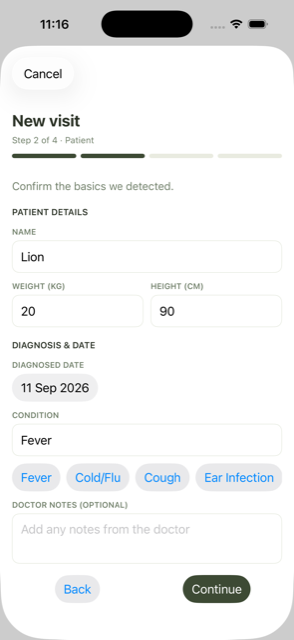
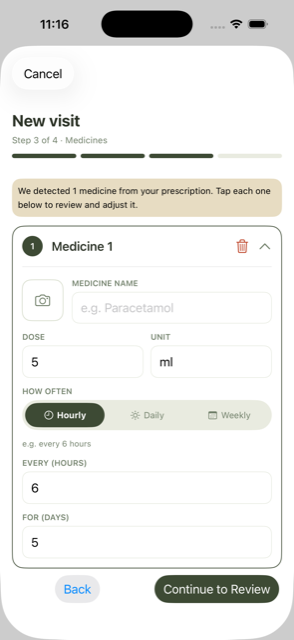
Scan the prescription
Point your camera at it. ZenBell reads the medicine name, dose, and schedule for you — right on the device.
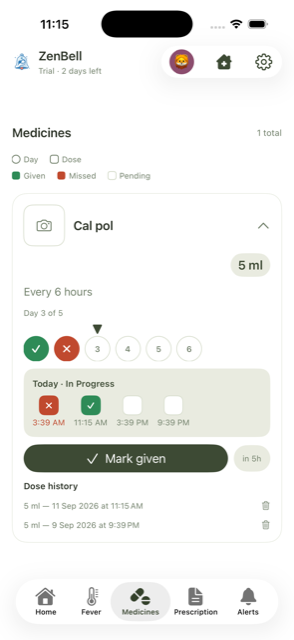
One tap to log a dose
A day-by-day checklist for every medicine, so "did we already give this?" stops being a 2am guessing game.
Stays on your phone
No account, no backend, no analytics SDK. Nothing to sign up for, nothing to leak.
Point, scan, done.
Snap a photo of the prescription and ZenBell fills in the medicine, dose, and how often it's given. All read on-device — nothing is uploaded anywhere to make this work. And since text recognition isn't perfect, every field stays editable before anything is saved or a single reminder is scheduled.
A checklist, not a guess.
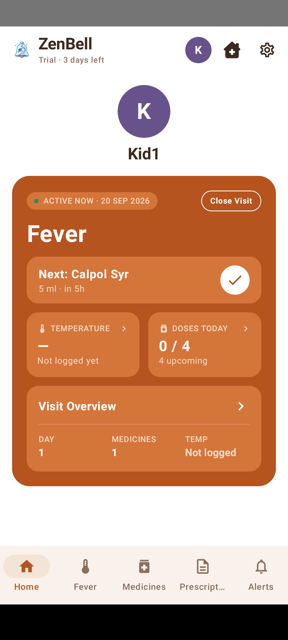
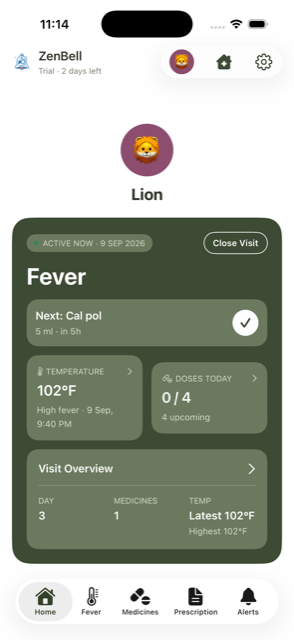
Every medicine gets a day strip and a row of today's doses — given, missed, or still coming. Mark a dose given in one tap, straight from the reminder notification or the home screen widget, no app-opening required.
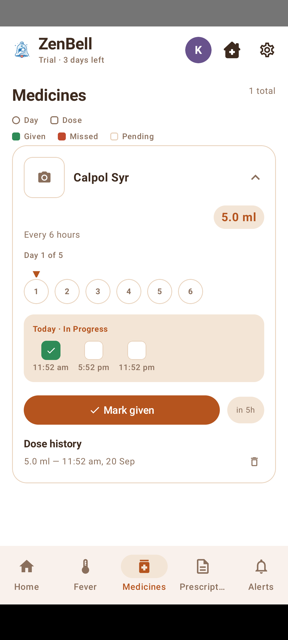
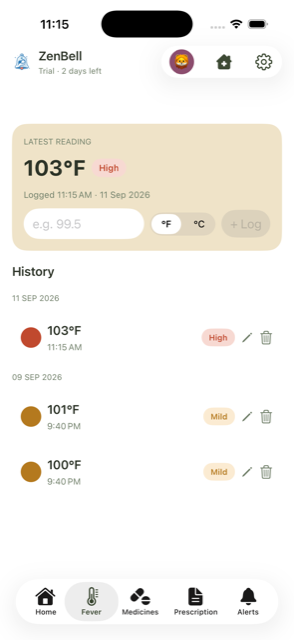
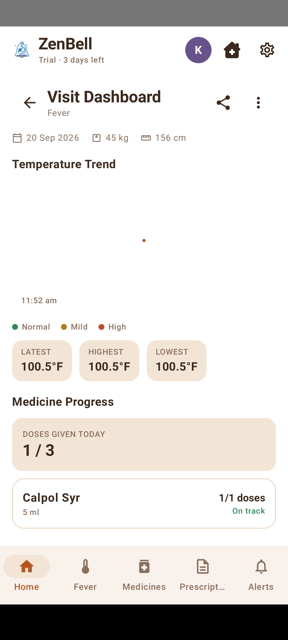
Not just a number — the pattern.
Log a temperature and ZenBell tells you plainly whether it's normal, mild, or high. A full history grouped by day means you can actually see whether things are getting better or worse, not just stare at one isolated reading.
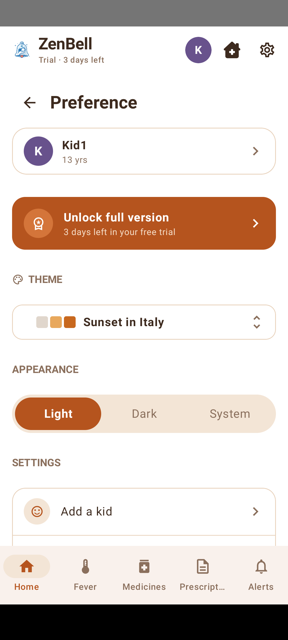
Six themes. Light and dark, each.
Pick a palette that fits your kid, or leave it on System and let it follow your phone.
No account. No cloud. No ads.
There's no backend for ZenBell to talk to, even if it wanted to. A sick kid's medical info is about as sensitive as data gets, and it stays exactly where you typed it: on your phone.
- Everything stored locally — Room on Android, SwiftData on iOS
- No account or sign-in, ever
- No analytics SDKs, no ad trackers
- Prescription scanning runs on-device, no cloud AI call
- One opt-in exception: pasting a tricky prescription into an AI app of your choice — off by default, your call every time
Built for the 2am moment.
Free to try, one-time unlock after — not a subscription.